
Team management software for grassroots clubs
Keep every team
connected
Bring your teams, coaches, fixtures, training and availability together, with payments, member details and communication connected too. Thrive4Grassroots helps the people looking after each team stay on top of the week-to-week, while your committee can still see what's happening across the club.

1. Organise
Set up teams your way
Every club is structured differently. Whether you're organising age groups, squads or competition teams, you can set things up around the way your club works and make changes as people join, move up or switch teams.
- Create and manage multiple teams and squads
- Group members by age, ability or competition
- Move people between teams as things change
- Assign coaches to the teams they look after
- Decide what different coaches can see and do


2. Equip
Give everyone what they need
Squad managers can be given access to all players in a team with team coaches just being able to see their players only. Your committee and club admins can still see the bigger picture and share the jobs that keep everything moving.
- Give coaches access to the teams they look after
- Keep medical, emergency and safeguarding information available when needed
- Set permissions around what different people can see and do
- Keep team details together so club admins can see what's happening across every team

Now we've got it all in a central location so we can keep a track of the health of the whole club. We can share the responsibility of it now because it's all in one place.

3. Plan
Keep fixtures and training organised
Fixtures change. Training moves. Someone needs to know where the away match is on Saturday. Keep the practical details together so coaches, volunteers and members aren't relying on separate spreadsheets, calendars and message threads to work out what's going on.
- Add fixtures and training sessions
- Organise team events
- Link them to the right teams
- Add the details everyone needs
- Give members access to what's coming up


4. Check
Know who's available
Take the availability check out of the team chat. Ask members whether they can make a fixture or training session and see the responses together, so coaches know where they stand before sorting teams or planning sessions.
- Ask for availability for fixtures and training
- Let members say whether they can make it
- See everyone's responses in one place
- Spend less time chasing replies
5. Collect
Take the chasing out of subs
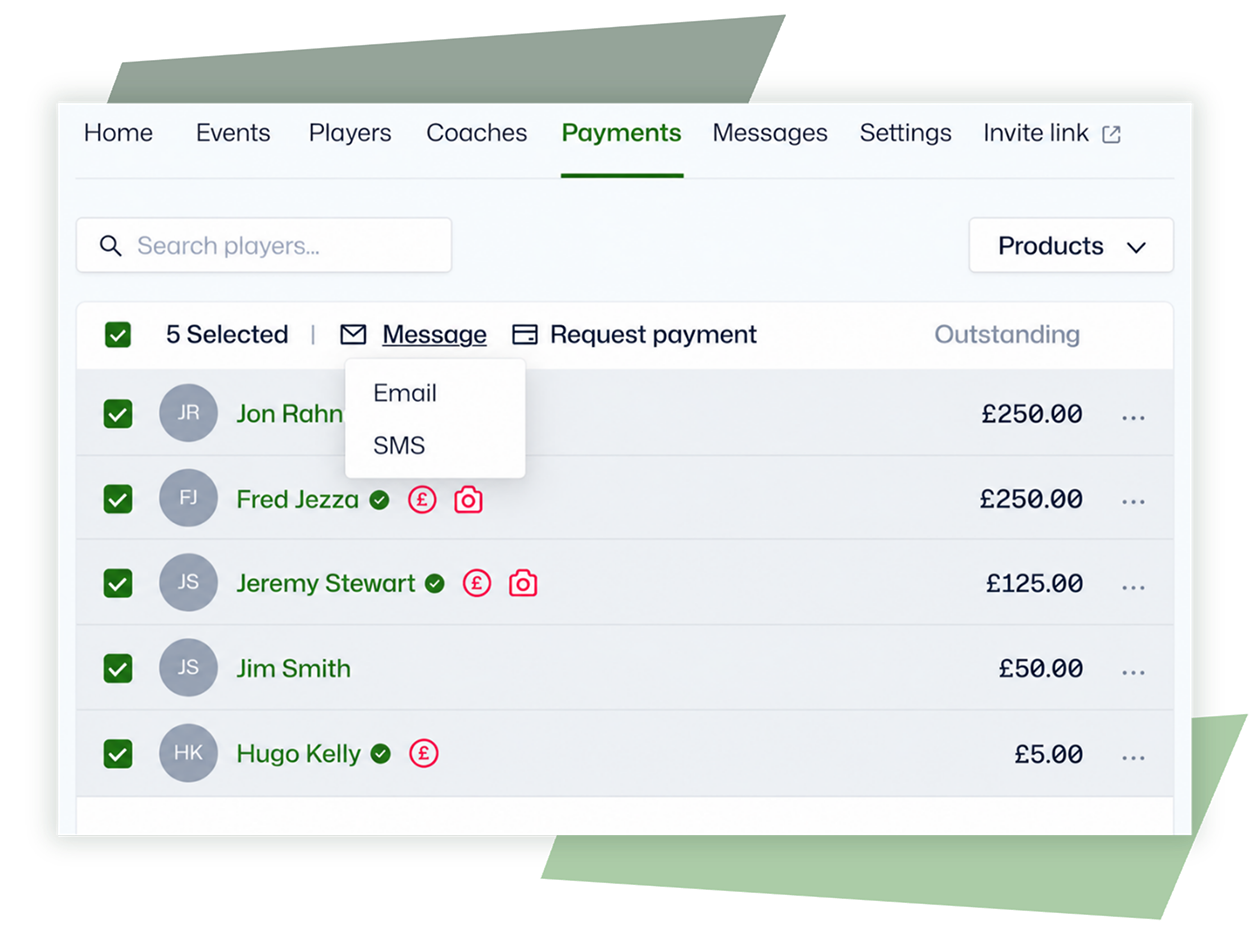
When the treasurer, squad and team managers are all working from different lists, keeping track of who's paid gets harder than it needs to be. Quickly see the payment status of players so it's easier to see what's outstanding and follow up.
- See who's paid and who hasn't
- Keep track of outstanding subs
- Manage match fees and other team payments
- Send payment requests and reminders
- Give the right volunteers visibility of payment status

6. Update
Get updates to the right people
If Saturday's start time changes, the whole club doesn't need to hear about it. Reach the particular team, squad, coaches, members or parents involved without relying on someone to pass the message on.
- Message individual teams and squads
- Send email and SMS
- Send notifications through MemberHub
- Share fixture and training updates
- Cut down on separate chats and message groups
7. Fund
Find more ways to fund your club
Subs can only go so far. Whether you want to buy equipment, improve facilities, start another team or simply put the club on a stronger footing, Thrive4Grassroots can help you explore other ways to bring money into the club.
- Find relevant opportunities with Fund Finder
- Get support with grants and bid management
- Build a stronger approach to sponsorship
- Explore other ways to bring income into the club
- Get practical guidance and resources through ThriveHub


We’re very pleased with ThriveGrassroots and the support we’ve received. It’s really made a difference for us, especially in the current environment we’re in.”
Southwell City FC
Trusted by grassroots clubs around the UK






Explore more Thrive4Grassroots tools
Payments
Understand income, invoices and outstanding payments
Membership
See registrations and abandoned checkouts
MemberHub app
Give families a better way to manage their activities
Social media
Plan, create and publish more of your social content from one place
Communication
Understand how families are engaging with your messages
Reporting
Get a clearer view of what's happening across your club
Make running your teams easier
Bring the people, fixtures, availability, payments and communication behind your season together with practical support to help your teams and the wider club move forward.
We connect people, fixtures, availability, payments and communication, and give you practical support to help your teams and the wider club move forward.
Team management software FAQs
What is team management software?
Team management software gives grassroots clubs one place to organise their teams, coaches, fixtures, training and availability. Thrive4Grassroots also connects these with payments, communication and member details, so less of the day-to-day running of the club sits across separate systems and spreadsheets.
Can I manage multiple teams and squads?
Yes. You can create multiple teams and squads and organise members by things like age group, ability or competition.
Can coaches manage their own teams?
Yes. Coaches can be given access to the teams and members they're responsible for, while your club decides what they're able to see and do.
Can we manage fixtures and training?
Yes. You can organise fixtures, training sessions and other team events through Thrive4Grassroots and make the details available to the people involved.
Can members confirm their availability?
Yes. You can ask members whether they're available for fixtures and training and see their responses together, rather than collecting replies through separate messages.
Can we collect subs and match fees?
Yes. You can manage subscriptions, match fees and other team payments, see what's outstanding and send payment requests and reminders.
Can we message individual teams?
Yes. You can contact particular teams, squads, coaches, members or parents by email, SMS and MemberHub notifications rather than sending every update to the whole club.
Can coaches access member information?
Yes. Coaches can access relevant information for the members they're responsible for, including safeguarding, medical and emergency details, based on the permissions your club gives them.
Does Thrive4Grassroots have an app?
Yes. Members and parents can use MemberHub to access things like fixtures, training, payments, communications and their club information.